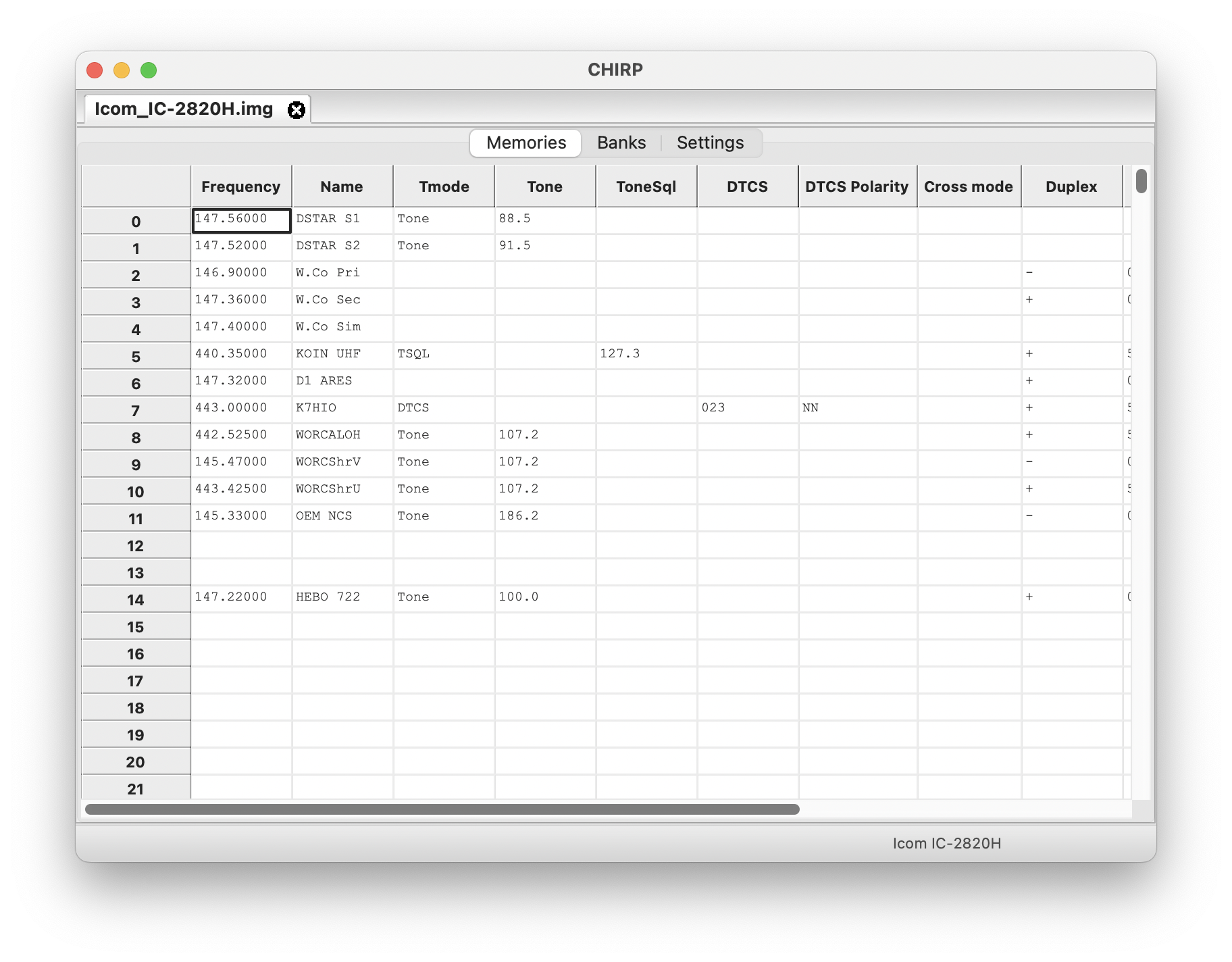
CHIRP is a free, open-source tool for programming your radio. It supports a large number of manufacturers and models, as well as provides a way to interface with multiple data sources and formats.



To get started:
- Download CHIRP for your platform
- Check out the "How to get help" page, and the rest of the Documentation.
- Join the mailing list!
- Be sure to review the FAQ.
In case you run into a problem with CHIRP:
- Before you open a new ticket, please consult the Documentation.
- Also, please perform a search through all open and closed issues. Maybe someone else had the same problem before, and a solution is already available.
- If your problem is about how to use CHIRP with an already supported radio, then you should ask that question in the mailing list.
- Once you have looked through the Wiki and searched all open/closed issues, you can open a new ticket (did you ask on the mailing list?). There, you may file a bug report, request a new feature, or request the implementation of a new radio. Please be detailed and follow the instructions in "How To Report Issues".
If you are a vendor and want to have your radio supported by CHIRP, please see InformationForVendors
Supported Radio Models
-My Emergency RadioAbbree
- AR-518
- AR-63
- AR-730
- AR-869
- AR-F3 (use Baofeng UV-82III)
- AR-F5
- AR-F8 (use Wouxun KG-UV8D)
Alinco
- DJ-G7EG
- DJ-G7T
- DJ175
- DJ596
- DR03T
- DR06T
- DR135T
- DR235T
- DR435T
- DR735T
AnsokoAnyTone
- 5888UV
- 5888UVIII
- 778UV
- 778UV VOX
- OBLTR-8R
- TERMN-8R
Anysecu
- AC-580
- UV-A37
- UV-K5 (use Quansheng UV-K5)
- WP-9900
Arcshell
- AR-5
- AR-6
- AR-7 (use Radtel T18)
- AR-8
BTECH
- FRS-A1
- FRS-B1
- GMRS-20V2
- GMRS-50V2
- GMRS-50X1
- GMRS-V1
- GMRS-V2
- MURS-V1
- MURS-V2
- UV-2501
- UV-2501+220
- UV-25X2
- UV-25X2_G2
- UV-25X4
- UV-25X4_G2
- UV-5001
- UV-50X2
- UV-50X2_G2
- UV-50X3
- UV-5X3
Baiston
- BST-2100 (use Baofeng BF-888)
Baofeng
- 5RM
- 5RX
- BF-1901
- BF-1904
- BF-888
- BF-A58
- BF-A58S
- BF-F8HP
- BF-M4
- BF-T1
- BF-T20
- BF-T20FRS
- BF-T8
- BF-U9
- BF-V8A
- F-11
- GM-5RH
- GT-3WP
- GT-5R
- K5-Plus*
- UV-13Pro
- UV-17
- UV-17Pro
- UV-17ProGPS
- UV-3R
- UV-5R
- UV-5X
- UV-5XP
- UV-6
- UV-6R
- UV-82
- UV-82HP
- UV-82III
- UV-82WP
- UV-9G
- UV-9R
- UV-9R Pro
- UV-B5
- UV-S9X3
- W31E
Baofeng/Pofung
- 997-S (Foscam Digital Technologies) (use UV-5R)
- AR-152 (use UV-5R)
- B-580T (use UV-5R)
- BF-88E (use BF-888)
- BF-C2/C5 (use BF-888)
- BF-E500S (use UV-5R)
- BF-F11 (use BF-A58S)
- BF-F8+III (use Radioddity UV-5RX3)
- BF-F8, F8+ (use UV-5R)
- BF-F8X3 (use BF-A58S)
- BF-F9 (use UV-5R)
- BF-F9V2+ (use BF-F8HP)
- BF-H6 (use TIDRADIO TD-H6)
- BF-R3 (use Radioddity UV-5RX3)
- BF-R5 Mini (use BF-888)
- BF-S5 Plus (use UV-82III)
- BF-UV10R (use BF-F8HP)
- BF-UV9R+HP (use UV-82WP)
- BF-UVB2+ (use UV-5R)
- BF-UVF10 (use BF-A58S)
- BF-V85 (use UV-B5)
- BF-V9 (use BF-888)
- BF-X3 Plus (use BF-A58S)
- BF-X9 (use Radioddity UV-5RX3)
- Baofeng BF-1902 (use BF-1901)
- Baofeng BF-1903 (use BF-1901)
- Baofeng BF-777S (use Baofeng BF-888)
- FF-12P (use UV-5R)
- G11S (use Retevis RB27)
- GT-1 (use BF-888)
- GT-3, GT-3 MK II (use UV-5R)
- GT-3TP (use BF-F8HP)
- GT-5 (use UV-82)
- GT-5TP (use UV-82HP)
- M-5R (use 5RX)
- P10UV (use Radioddity GA-510)
- P11UV (use Retevis RB27)
- P8UV (use Radioddity UV-5G)
- UV-10R (use BF-F8HP)
- UV-59T (use Radioddity UV-5RX3)
- UV-5G (use Radioddity UV-5G)
- UV-5G Plus (use Baofeng GM-5RH)
- UV-5R HTQ (use BF-F8HP)
- UV-5R MK4, MK5 (use BF-F8HP)
- UV-5R V2+, UV-5R2 (use UV-5R)
- UV-5R+ (use BF-F8HP)
- UV-5R++ (use UV-5R)
- UV-5R7W (use BF-F8HP)
- UV-5RA, UV-5RA+, UV-5RAX, UV-5RAX+ (use UV-5R)
- UV-5RA3 (use Radioddity UV-5RX3)
- UV-5RB (use UV-5R)
- UV-5RC, UV-5RC, UV-5RCX+ (use UV-5R)
- UV-5RD (use UV-5R)
- UV-5RE, UV-5RE+ (use UV-5R)
- UV-5RG, RK, RQ, RS, RT, RU (use UV-5R)
- UV-5RHP (use BF-F8HP)
- UV-5RIII (use Radioddity UV-5RX3)
- UV-5RM HP (use BF-F8HP)
- UV-5RTP (use BF-F8HP)
- UV-5RWP (use UV-82WP)
- UV-5RX3 (use Radioddity UV-5RX3)
- UV-5S (use UV-5R)
- UV-5X (GMRS version) (use Radioddity UV-5G)
- UV-5X (original 2014 model) (use UV-5R)
- UV-82III (2 x PTT) (use Radioddity UV-82X3)
- UV-82T (use Radioddity UV-82X3)
- UV-82X3 (use Radioddity UV-82X3)
- UV-860 (use UV-5R)
- UV-8R (use UV-82HP)
- UV-920 (use UV-5R)
- UV-9S (use Radioddity UV-5RX3)
- UV-9X+ (use UV-82HP)
- UV-B2 (use UV-82)
- UV-B2+, B3+ (use UV-5R)
- UV-S9 (tri-power: use BF-F8HP)
- UV-S9/S9T (tri-band: use UV-S9X3)
- UV-X9 (use UV-82HP)
| Baojie
- BJ-218
- BJ-318
- BJ-9900*
- BJ-UV55*
BoblovBoristoneCRT
- CRT 279 UV (use QYT KT8900D)
- Micron UV
- Micron UV V2
Cignus
- UV-85 (use Baofeng UV-5R)
- UV-87 (use TYT TH-UV88)
- XTR-5
ExplorerFeidaxin
- FD-150A*
- FD-160A*
- FD-268A*
- FD-268B*
- FD-288A*
- FD-288B*
- FD-450A*
- FD-460A*
- FD-460UH*
GreavalHamGeekHesenate
- BJ-218
- HT-5RX3 (use Radioddity UV-5RX3)
- HT-U222 (use Retevis RT22)
Hiroyasu
- HI-8811
- UV-5118 (use Abbree AR-518)
HobbyPCBIcom
- IC-208H
- IC-2100H
- IC-2200H
- IC-2300H
- IC-2720H
- IC-2730A
- IC-2820H
- IC-7000
- IC-7100
- IC-7200
- IC-7300
- IC-7400*
- IC-746
- IC-7610
- IC-91/92AD
- IC-910
- IC-E90
- IC-P7
- IC-Q7A
- IC-T70
- IC-T7H
- IC-T8A
- IC-T90
- IC-U82
- IC-V80
- IC-V82
- IC-V86
- IC-W32A
- IC-W32E
- ID-31A
- ID-4100
- ID-51
- ID-51 Plus
- ID-51 Plus2
- ID-5100
- ID-800H
- ID-80H
- ID-880H
IntekIradio
- UV-5118 (use Abbree AR-518)
JJCCJetstream
- JT220M
- JT2705M
- JT270M
- JT270MH
Jianpai
- 8800_Plus
- FT-UV78 (use Abbree AR-518)
- G63 (use Abbree AR-63)
Juentai
- JT-6188 Mini
- JT-6188 Plus
KSUN
- UV60D (use Quansheng UV-K5)
KYDKenwood
- TH-D7
- TH-D72 (clone mode)
- TH-D72 (live mode)
- TH-D74 (clone mode)
- TH-D74 (live mode)
- TH-D75
- TH-D7G
- TH-F6
- TH-F7
- TH-G71
- TH-K2
- TK-2140K
- TK-2180
- TK-260*
- TK-260G
- TK-270*
- TK-270G
- TK-272*
- TK-272G
- TK-278*
- TK-278G
- TK-3140K
- TK-3140K2
- TK-3140K3
- TK-3180K
- TK-3180K2
- TK-360*
- TK-360G
- TK-370*
- TK-370G
- TK-372*
- TK-372G
- TK-378*
- TK-378G
- TK-388G
- TK-7102
- TK-7108
- TK-7160K
- TK-7160M
- TK-7180
- TK-7180E
- TK-760
- TK-760G
- TK-762
- TK-762G
- TK-768
- TK-768G
- TK-8102
- TK-8108
- TK-8160K
- TK-8160M
- TK-8180
- TK-8180E
- TK-860
- TK-860G
- TK-862
- TK-862G
- TK-868
- TK-868G
- TM-271
- TM-281
- TM-471
- TM-D700
- TM-D710
- TM-D710G
- TM-D710G_CloneMode
- TM-D710_CloneMode*
- TM-G707
- TM-V7
- TM-V71
- TS-2000
- TS-480_CloneMode*
- TS-480_LiveMode*
- TS-590S/SG_LiveMode*
- TS-590SG_CloneMode*
- TS-590S_CloneMode*
- TS-850*
| LUITON
- LT-316
- LT-580_UHF
- LT-580_VHF
- LT-588UV
- LT-725UV
LanchonlhLeixen
- VV-898
- VV-898E
- VV-898E*
- VV-898S
MMLradioMTCMaruiMaverickMidland
- CT-210 (use Puxing PX-777)
- DBR2500
NKTechOTGSTUFFPlant-ToursPolmarPowerful
- UV-S5 (use Quansheng UV-K5)
PowerwerxPuxingQ-MACQYT
- KT-8R
- KT-9900 (use KT-WP12)
- KT-UV980
- KT-WP12
- KT5800
- KT7900D
- KT8900
- KT8900D
- KT8900R
- KT980PLUS
Quansheng
- TG-UV2 (use TG-UV2+)
- TG-UV2+
- UV-5R Plus (use UV-K5)
- UV-K5
- UV-K5(8) (use UV-K5)
- UV-K6 (use UV-K5)
R&L Electronics
- UV-5R 3 band (use Radioddity UV-5RX3)
Radioddity
- DB25-G
- GA-2S
- GA-510
- GA-5S
- GS-5B
- QB25
- R2
- UV-5G
- UV-5R EX
- UV-5RX3
- UV-5X (use Radioddity UV-5G)
- UV-82X3
Radtel
- RT-10 (use Retevis RT22)
- RT-470
- RT-470L
- RT-470X
- RT-490
- T18
Retevis
- H777
- H777 (FRS) (use Retevis H777 Plus)
- H777 Plus
- H777S
- RA685
- RA79
- RA85
- RA89
- RB15
- RB17
- RB17A
- RB17P
- RB17V
- RB18
- RB19
- RB19P
- RB23
- RB26
- RB27
- RB27B
- RB27B (full band support) (use Retevis RB27)
- RB27V
- RB27V (full band support) (use Retevis RB27)
- RB28
- RB28B
- RB29
- RB615
- RB617
- RB618
- RB619
- RB627B
- RB627B (full band support) (use Retevis RB27)
- RB628
- RB628B
- RB629
- RB75
- RB85
- RB87
- RT-B6 (use Baofeng UV-B5)
- RT1
- RT15
- RT16
- RT19
- RT20
- RT21
- RT21V
- RT22
- RT22FRS
- RT22S
- RT23
- RT24
- RT24V
- RT26
- RT29_UHF
- RT29_VHF
- RT40B
- RT47
- RT47V
- RT5
- RT5 with 2 power levels (use Baofeng UV-5R)
- RT5(tri-power)
- RT5R
- RT5RV
- RT6
- RT619
- RT622
- RT647
- RT668
- RT68
- RT76
- RT76P
- RT85
- RT86
- RT87
- RT9000D_136-174
- RT9000D_220-260
- RT9000D_400-490
- RT9000D_66-88
- RT95
- RT95 VOX
- RT98
RuggedRugged Radios
- RH5R, RH5R-V2 (use Baofeng UV-5R)
Ruyage
- UV58 (use Abbree AR-518)
- UV58Plus
Sainsonic
- AP510*
- GT-3TP (use Baofeng BF-F8HP)
- GT-890
SenhaiXSocotran
- FB-8629
- JC-8629
- UV-5118 (use Abbree AR-518)
Surecom | TDXoneTIDTIDRADIO
- BF-F8TD (use TIDRADIO TD-UV5R TriPower)
- TD-H3
- TD-H3-GMRS
- TD-H3-HAM
- TD-H6
- TD-H8
- TD-H8-GMRS
- TD-H8-HAM
- TD-UV5R TriPower
- UV-82 (use Baofeng UV-82HP)
TXQTYT
- QRZ-1 (use Explorer QRZ-1)
- TH-350*
- TH-7800
- TH-7800 File*
- TH-9800
- TH-9800 File*
- TH-UV3R-25*
- TH-UV3R*
- TH-UV8000
- TH-UV88
- TH-UVF1
- TH-UVF8D
- TH9000_144
- TH9000_220
- TH9000_440
Tacklife
- MTR01 (use Radioddity R2)
TalinfoneTalkpodTechSide
- TI-F8+
- TS-T1 (use Retevis RB26)
- TS-T9+
Tenway
- TW-325
- UV-5R Pro
- UV-82 Pro
Tonfa
- UV-985 (use Baofeng UV-5R)
Vero
- UV-E5, UV-E5 MK II (use Baofeng UV-5R)
Vertex Standard
- FTL-1011*
- FTL-2011*
- FTL-7011*
- FTL-8011*
- VXA-700*
WACCOMWLNWouxun
- KG-1000G
- KG-1000G Plus
- KG-816
- KG-818
- KG-935G
- KG-935G Plus
- KG-UV2D (use KG-UVD1P)
- KG-UV3D (use KG-UVD1P)
- KG-UV5D (use KG-UVD1P)
- KG-UV6
- KG-UV7D (use KG-UV6)
- KG-UV8D
- KG-UV8D Plus
- KG-UV8E
- KG-UV8H
- KG-UV920P-A
- KG-UV980P
- KG-UV9D Mate (use Wouxun KG-UV9D Plus)
- KG-UV9D Plus
- KG-UV9G Pro
- KG-UV9GX
- KG-UV9K
- KG-UV9P (use Wouxun KG-UV9D Plus)
- KG-UV9PX
- KG-UVD1P
WuruiYaesu
- FT-1500M
- FT-1802M*
- FT-1D
- FT-25R
- FT-270 (use VX-170)
- FT-2800M
- FT-2900R/1900R
- FT-2900R/1900R(TXMod)
- FT-450
- FT-450D
- FT-4VR
- FT-4XE
- FT-4XR
- FT-50
- FT-60
- FT-65E
- FT-65R
- FT-70D
- FT-7100M*
- FT-7800/7900
- FT-8100
- FT-817
- FT-817ND
- FT-817ND (US)
- FT-818
- FT-818ND (US)
- FT-857/897
- FT-857/897 (US)
- FT-8800
- FT-8900
- FT-90
- FT2D
- FT3D
- FTM-3100 (use FTM-3200DR)
- FTM-3200D*
- FTM-350
- FTM-7250D*
- VX-170*
- VX-2
- VX-3
- VX-5
- VX-6
- VX-7
- VX-8DR
- VX-8GE
- VX-8R
YedroZastone
- BJ-218
- MP-300
- MP-380 (use QYT KT8900D)
- MP-800 (use TYT TH-9800)
- V8A (use Baofeng UV-5R)
- V8A+ (use Baofeng UV-5R)
- ZT-V8 (use Baofeng UV-5R)
- ZT-X6
youRUSH
- UV-5RUSH (use Baofeng UV-5R)
- UV-82RUSH (use Baofeng UV-82)
- UV-9RUSH PLUS (use Baofeng BF-A58)
- UV-9RUSH PRO (use Radioddity GA-510)
|
NOTE 1: Radios marked with an asterisk (*) were supported in the legacy builds of CHIRP, but have not yet been validated in CHIRP-next. See ChirpNextBuild for details. Please open a bug to report whether or not these work for you.
NOTE 2: Not all functionality is supported on all radio models. Not all models and variants are listed here. For a more complete view of everything supported, as well as which features are supported for which model, take a look at the overview of supported features in the model_support.html file in the latest build directory.
Other Data Sources
File Formats
- Generic CSV (csv)
- Commander KG-UV (csv)
- RT Systems CSV (csv)
- ARRL Travel Plus (tpe)
- Kenwood HMK (hmk)
- Kenwood ITM (itm)
|
Internet
|